Do Laptop Cooling Pads Actually Work?
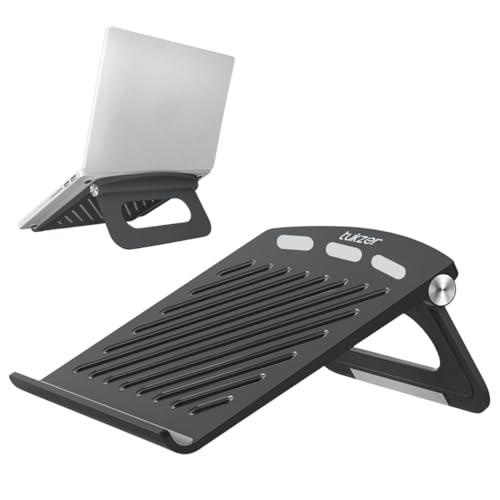
Laptop cooling pads are a popular purchase in India, where ambient temperatures alone push thermal limits. The honest answer is that they work, modestly, and that most of the benefit comes from something you can get for free.
How a laptop actually cools itself
A laptop draws air through intake vents, usually on the underside, pushes it across a heatsink, and exhausts it from the side or rear. The critical points are the intakes: if they are blocked, the fan is moving nothing.
Put the laptop on a bed, a cushion or your lap, and the fabric seals those vents. Temperatures climb, the processor throttles, and the machine slows down.
Most of the benefit is elevation, not the fans
Simply lifting the laptop so air can reach the underside recovers most of what a cooling pad provides. Anything works — a book, a stand, two bottle caps. If a pad "made a huge difference", it is usually because the laptop was previously on a soft surface.
What the fans add
Beyond elevation, the pad's fans push extra air at the underside. Measured benefit is typically 2–7°C on a laptop that was already raised — real, but rarely dramatic.
Whether that translates into performance depends on where your machine sits relative to its throttling threshold. A laptop hitting 95°C and throttling hard may recover meaningfully. One running at 75°C gains nothing you can measure, because it was not thermally limited to begin with.
When a pad is genuinely worth it
- Gaming or sustained heavy work, where the machine throttles after a few minutes
- A hot room with no air conditioning — ambient temperature sets the floor for everything else
- A laptop with intakes on the bottom (most of them) rather than the sides
- You want the ergonomic tilt anyway, and the cooling is a bonus
When it will not help
- The laptop is already on a hard desk and runs comfortably
- The intakes are on the sides, so air pushed at the base has nowhere to go
- The real problem is dust or dried thermal paste — see below
- Fanless designs, which have no intakes at all
Two things that help more, and cost less
Clean the vents. After a year or two in an Indian city, intake grilles clog with dust and the fan moves a fraction of the air it should. Compressed air through the vents, with the machine off, often drops temperatures more than any pad. This is the single highest-return maintenance task on a laptop.
Repaste, eventually. Thermal paste between the processor and heatsink dries out over three or four years. Replacing it can bring temperatures down by 10–15°C — far more than a cooling pad. It requires opening the machine, so it is a job for a service centre unless you are confident, and it may affect warranty.
A third, free option: most laptops let you cap the processor's maximum state or select a "balanced" power profile. Sacrificing a few percent of peak performance can cut temperatures substantially and often makes the machine quieter and faster in sustained work, because it stops the throttle-recover cycle.
If you do buy one
- Match the size to your laptop; a 15.6" pad under a 14" machine blows air past it
- Fewer, larger fans are usually quieter than many small ones at the same airflow
- Check the noise figure — a pad that fixes throttling but is louder than the laptop is a poor trade
- It draws power from your USB port, which costs battery life; a pad with its own passthrough port is better
- Adjustable tilt makes it useful as a stand even when the fans are off
Browse laptop cooling pads on Amazon
If the aim is mainly posture and airflow rather than active cooling, a simple aluminium stand is quieter, lighter and needs no power.